Maintaining Apache Iceberg Tables: Compaction, Expiry, and Cleanup
Table of contents
Cross-posted. This article’s canonical home is Alex Merced’s Lakehouse Blog.
This is Part 10 of a 15-part Apache Iceberg Masterclass. Part 9 covered how tables degrade. This article covers the four maintenance operations that keep Iceberg tables healthy and the three approaches to running them.
Table of Contents
- What Are Table Formats and Why Were They Needed?
- The Metadata Structure of Current Table Formats
- Performance and Apache Iceberg’s Metadata
- Technical Deep Dive on Partition Evolution
- Technical Deep Dive on Hidden Partitioning
- Writing to an Apache Iceberg Table
- What Are Lakehouse Catalogs?
- Embedded Catalogs: S3 Tables and MinIO AI Stor
- How Iceberg Table Storage Degrades Over Time
- Maintaining Apache Iceberg Tables
- Apache Iceberg Metadata Tables
- Using Iceberg with Python and MPP Engines
- Streaming Data into Apache Iceberg Tables
- Hands-On with Iceberg Using Dremio Cloud
- Migrating to Apache Iceberg
The Four Maintenance Operations
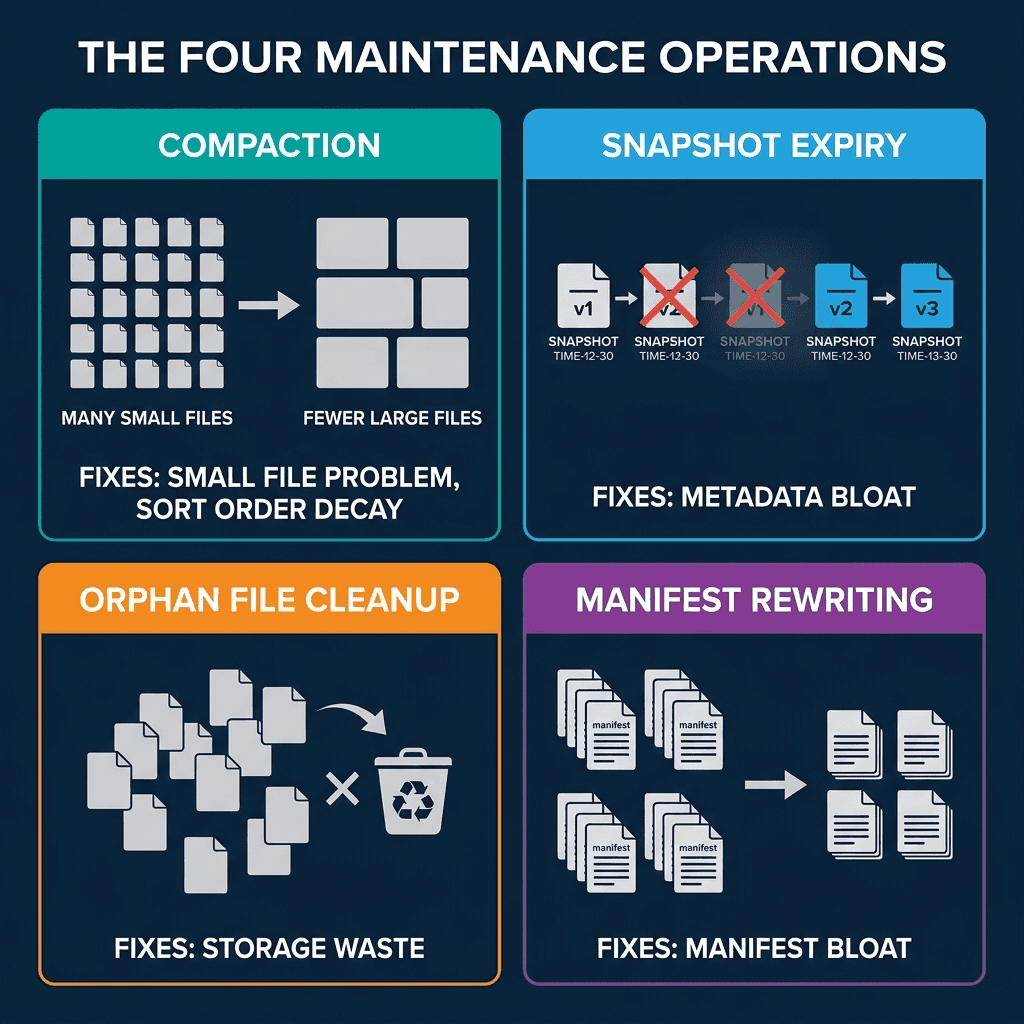
1. Compaction (File Rewriting)
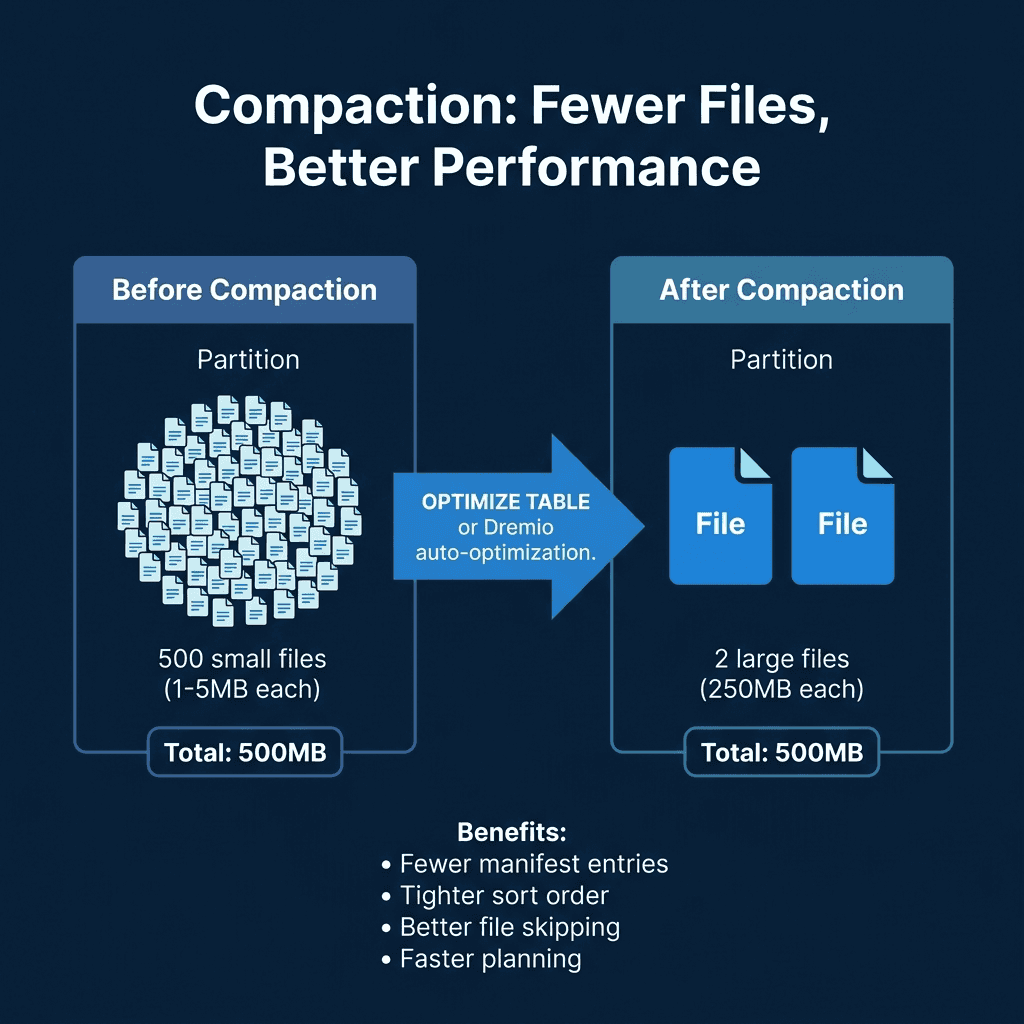
Compaction reads small files, merges them into optimally-sized files (128-512 MB), and optionally re-sorts the data. It is the most impactful maintenance operation because it directly addresses the small file problem and restores sort order effectiveness.
In Spark:
CALL system.rewrite_data_files('analytics.orders')In Dremio:
OPTIMIZE TABLE analytics.orders REWRITE DATA USING BIN_PACKCompaction with sorting rewrites files so that column values are ordered, tightening the min/max statistics and making file skipping far more effective:
OPTIMIZE TABLE analytics.orders REWRITE DATA USING SORT (order_date, customer_id)2. Snapshot Expiry
Snapshot expiry removes old snapshots from the metadata. After expiry, the snapshot and its exclusive data files are eligible for cleanup. You typically retain snapshots for a window (e.g., 7 days) to support time travel, then expire everything older.
-- Spark
CALL system.expire_snapshots('analytics.orders', TIMESTAMP '2024-04-22 00:00:00')

-- Dremio
ALTER TABLE analytics.orders EXPIRE SNAPSHOTS OLDER_THAN = '2024-04-22 00:00:00'
3. Orphan File Cleanup
After snapshots are expired, the data files they exclusively referenced become orphans. Orphan cleanup scans the storage directory, compares files against the current metadata, and deletes files that are not referenced by any snapshot.
-- Spark
CALL system.remove_orphan_files('analytics.orders')
This operation should run after snapshot expiry and with a safety delay (e.g., files older than 3 days) to avoid deleting files from in-progress writes.
Running orphan cleanup too aggressively can delete files from long-running write operations. A 3-day safety window ensures that any write operation has had time to complete before its files are considered orphans.
4. Manifest Rewriting
Over many commits, manifests accumulate. A single snapshot’s manifest list might reference hundreds of small manifests from individual commits. Manifest rewriting consolidates them into fewer, larger manifests.
-- Spark
CALL system.rewrite_manifests('analytics.orders')
This speeds up scan planning because the engine reads fewer manifest files. Each manifest file requires a separate I/O operation to read, so reducing the count from 500 to 20 eliminates 480 I/O round trips during query planning.
Sort-Order Compaction
Standard compaction (BIN_PACK) merges small files without changing the data order. Sort-order compaction rewrites files with data sorted by specified columns, which tightens the min/max statistics and makes file skipping more effective:
-- Dremio sort-order compaction
OPTIMIZE TABLE analytics.orders REWRITE DATA USING SORT (order_date, customer_id)

-- Spark sort-order compaction
CALL system.rewrite_data_files(
  table => 'analytics.orders',
  strategy => 'sort',
  sort_order => 'order_date ASC NULLS LAST, customer_id ASC NULLS LAST'
)
Sort-order compaction is more expensive than BIN_PACK because it reads, sorts, and rewrites all data. However, the performance improvement for queries that filter on the sorted columns is substantial: file skipping can eliminate 90%+ of data files when the sort columns match common query filters.
Data Retention Policies
Decide how long to keep historical data accessible through time travel:
| Retention Need | Recommended Snapshot Retention |
|---|---|
| Debugging recent issues | 7 days |
| Monthly reporting compliance | 30 days |
| Regulatory audit requirements | 90+ days |
| Storage cost optimization | 3-5 days |
Longer retention means more snapshots, more metadata, and more storage consumed by old data files. Shorter retention reduces costs but limits time travel capabilities.
Three Approaches to Maintenance
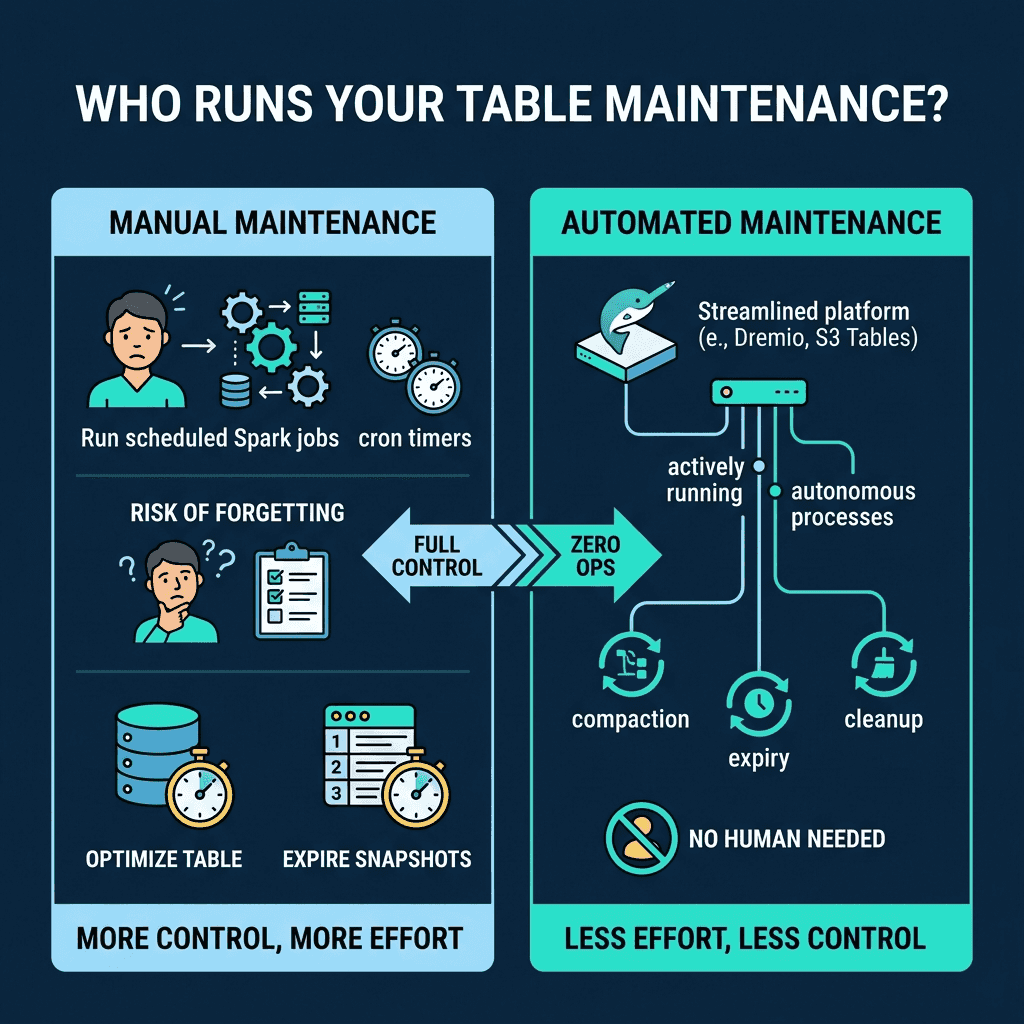
Manual (Scheduled Jobs)
Run maintenance operations on a schedule using Spark, Trino, or Dremio. A typical pattern:
- Run compaction daily for heavily-written tables
- Expire snapshots older than 7 days
- Remove orphan files older than 3 days
- Rewrite manifests monthly
Pros: Full control over timing and configuration. Cons: Requires operational effort; forgotten or broken jobs lead to degradation.
Semi-Automated (Scheduled with Monitoring)
Build a monitoring layer that checks table health metrics (Part 9 diagnostics) and triggers maintenance only when thresholds are exceeded (e.g., average file size drops below 64 MB).
Fully Automated
Use a platform that handles maintenance autonomously. Dremio’s automatic table optimization runs compaction, expiry, and cleanup for tables managed by Open Catalog without any user configuration. AWS S3 Tables provides built-in compaction.
| Approach | Effort | Risk | Best For |
|---|---|---|---|
| Manual | High | High (can forget) | Full control needs |
| Semi-Automated | Medium | Medium | Custom thresholds |
| Fully Automated | None | Low | Most production tables |
Recommended Maintenance Schedule
| Operation | Frequency | Recommendation |
|---|---|---|
| Compaction | Daily (heavy tables), weekly (light) | Trigger when avg file size < 64 MB |
| Snapshot expiry | Daily | Retain 7-30 days for time travel |
| Orphan cleanup | Weekly | Safety delay of 3+ days |
| Manifest rewrite | Monthly | When manifest count > 500 |
For most teams, starting with Dremio’s autonomous optimization and only adding manual jobs for tables with unusual requirements is the most practical approach.
Common Maintenance Pitfalls
Running compaction during peak query hours: Compaction reads and rewrites data files, which competes with analytical queries for I/O bandwidth. Schedule compaction during off-peak hours, or use a separate compute cluster (Spark on EMR) that does not share resources with your query engine.
Expiring snapshots too aggressively: If you expire snapshots while a long-running query is using one of them, the query can fail because the data files it needs might be cleaned up. Always keep snapshots for at least as long as your longest-running query.
Forgetting orphan cleanup: Many teams run compaction and snapshot expiry but forget orphan cleanup. Without it, compacted and expired data files accumulate indefinitely. Set up orphan cleanup as a weekly job with a 3-day safety window.
Not monitoring after migration: Tables migrated from Hive or other formats (Part 15) often inherit poor file layouts. Run an immediate compaction pass after any in-place migration.
Part 11 covers how to query the metadata tables that power diagnostics.
Books to Go Deeper
- Architecting the Apache Iceberg Lakehouse by Alex Merced (Manning)
- Lakehouses with Apache Iceberg: Agentic Hands-on by Alex Merced
- Constructing Context: Semantics, Agents, and Embeddings by Alex Merced
- Apache Iceberg & Agentic AI: Connecting Structured Data by Alex Merced
- Open Source Lakehouse: Architecting Analytical Systems by Alex Merced